
Preparing the 3D model
01
Understand the part
If the part contains bends, Nexafab counts them, helps assess feasibility and obtains the flat geometry needed for the calculation.
Quoting for laser cutting and bending
Upload, prepare and calculate 2D and 3D parts using your shop's actual rules, without moving back and forth between CAD, Excel and email for every request for quote.
How it works
Nexafab connects geometry, material consumption and your shop's commercial rules. Each stage feeds the next without forcing you to rebuild the calculation.
If the part contains bends, Nexafab counts them, helps assess feasibility and obtains the flat geometry needed for the calculation.
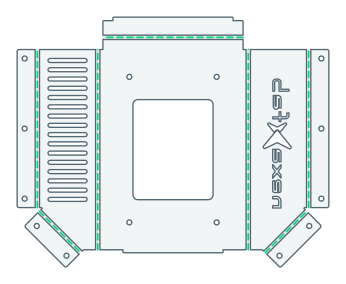
Once material and thickness are defined, Nexafab extracts the basic dimensions and simulates cutting time from the part's properties.
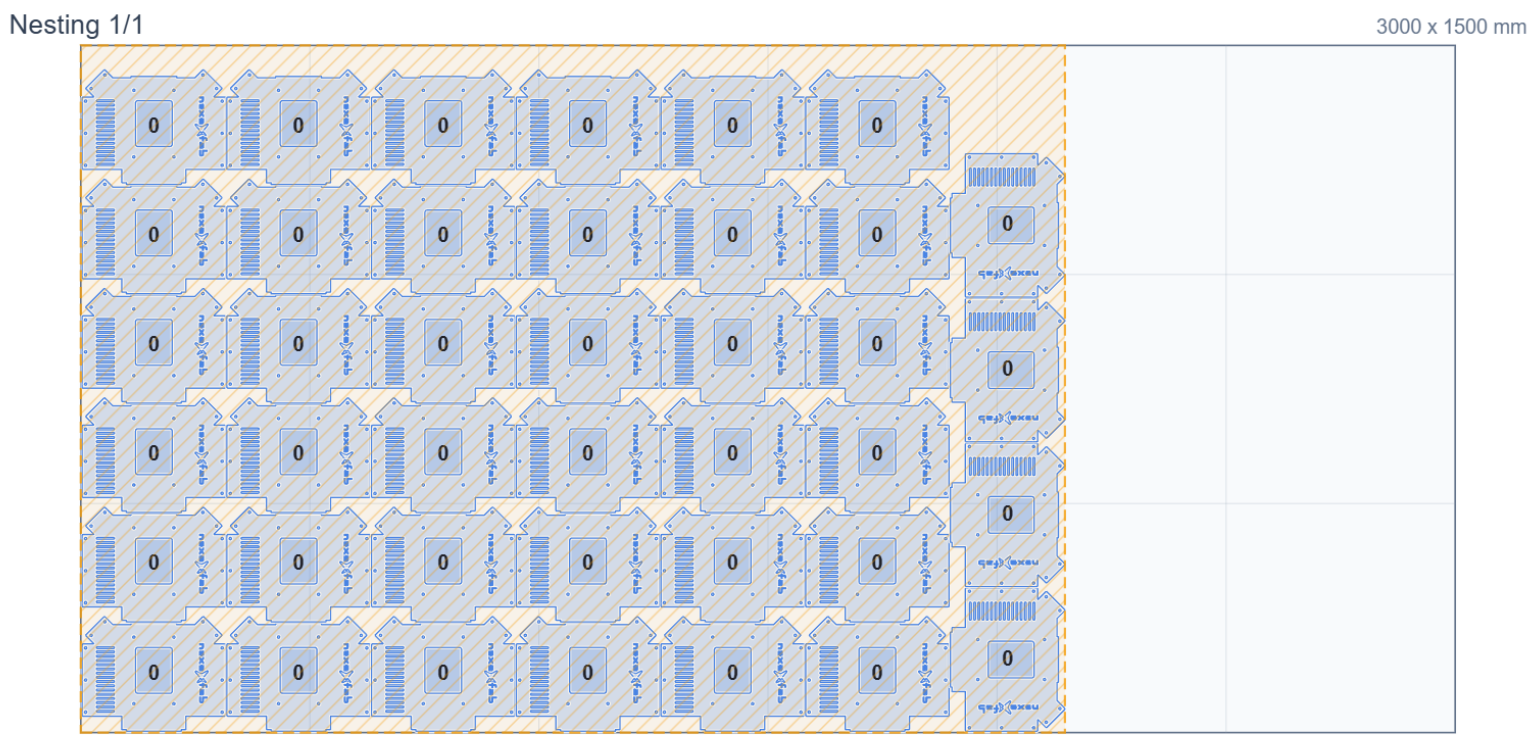
Determine the required sheets, consumption, utilisation and waste before setting the material cost.
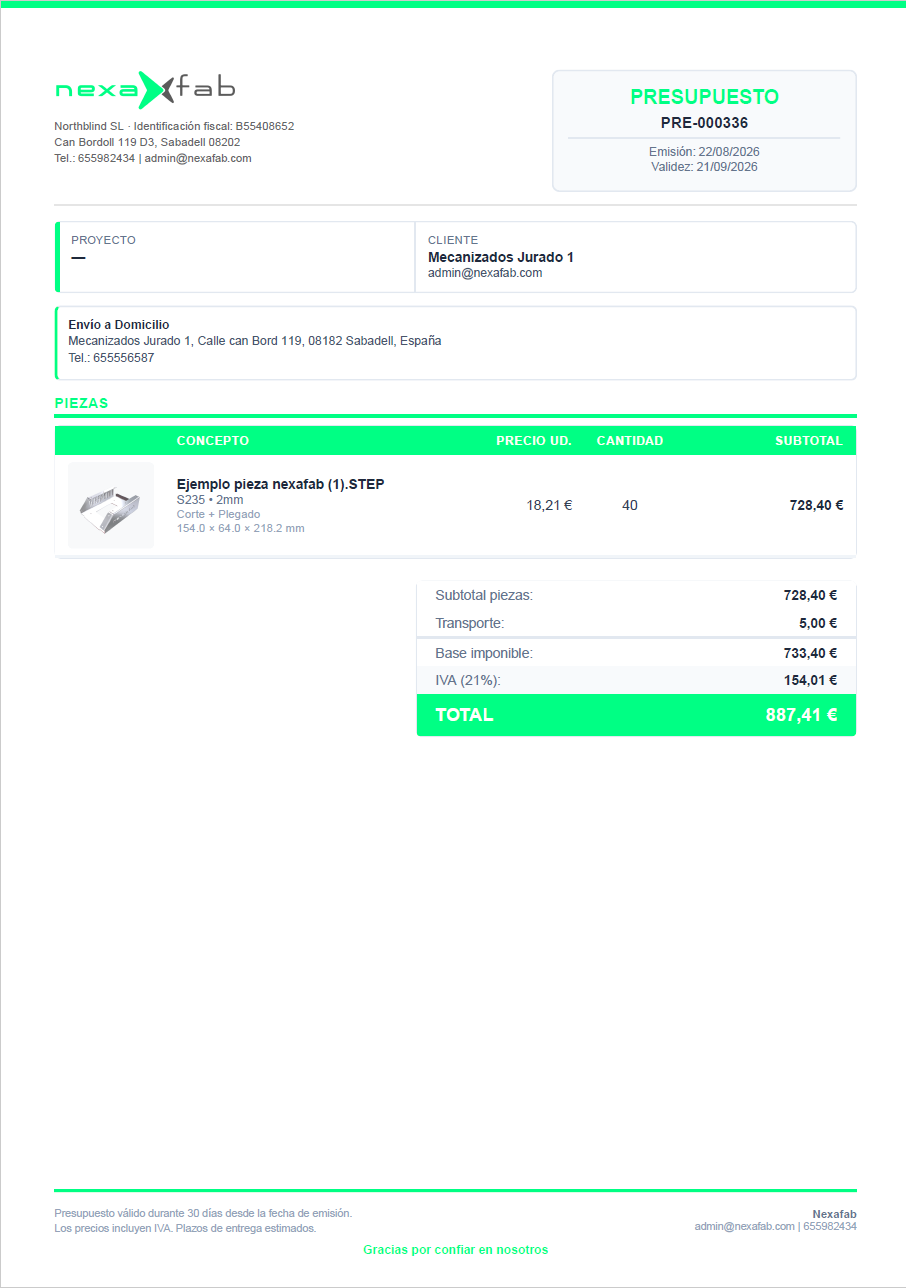
Apply costs, minimums and margins, review the result and generate a clear offer.
We know what happens before a price is sent
Quoting a custom part is not a matter of entering a number. First, every file has to be understood, prepared and measured, material must be calculated and the offer has to be assembled.
Our answer
We have built connected tools to reduce repetitive work. Add them where you lose the most time today, or use the complete workflow.
Use clean-up, measurements, nesting or PDF generation wherever your bottleneck is today.
Centralise preparation, analysis, calculation and quoting without changing tools.
One connected toolbox
This is not about adding another calculator to the shop. It is about reducing manual steps from the moment a file arrives until the offer is sent.
 01
01When the file is not production-ready
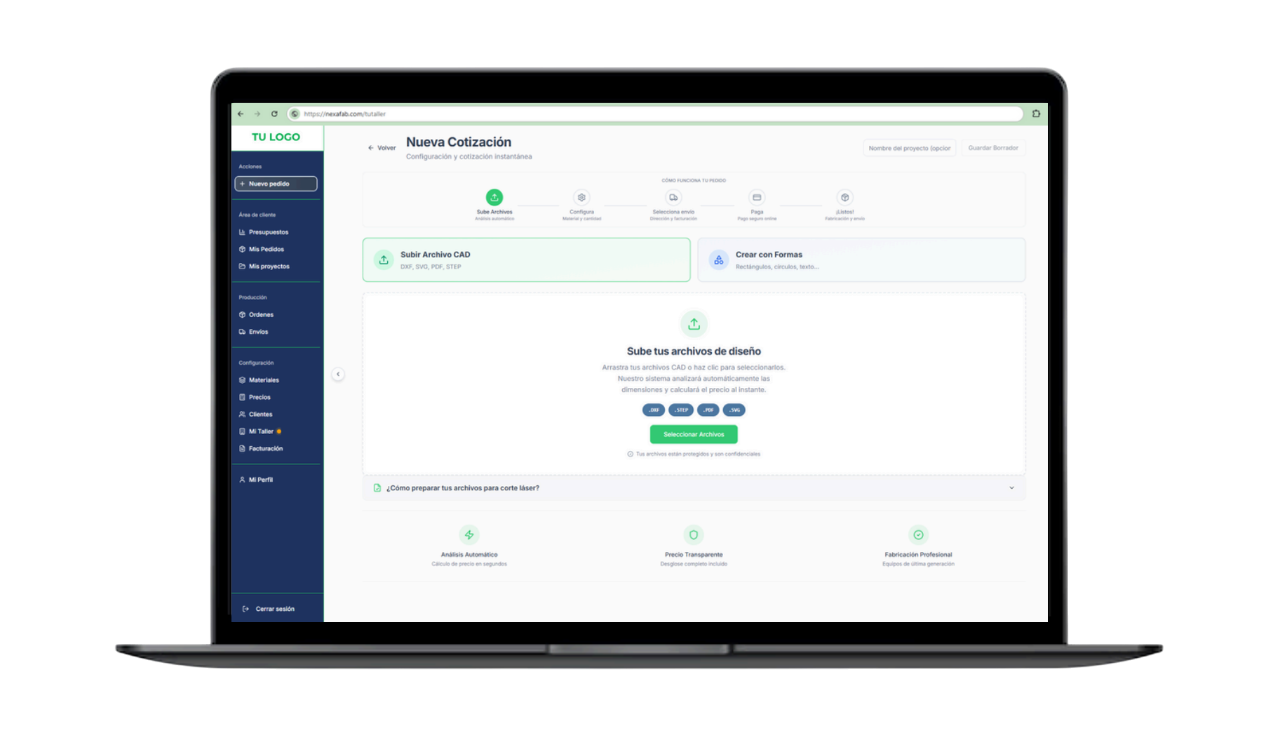
Real files do not always arrive clean, separated or at the correct scale. Nexafab brings the usual preparation tools into the quoting workflow itself.
 02
02When measuring takes too much time
The system interprets the file and extracts repetitive information that would otherwise require every part to be checked manually before it can be priced.
 03
03When pricing lives in a spreadsheet
Nexafab does not impose a generic rate. File data is combined with the commercial logic your team already uses to prepare offers.
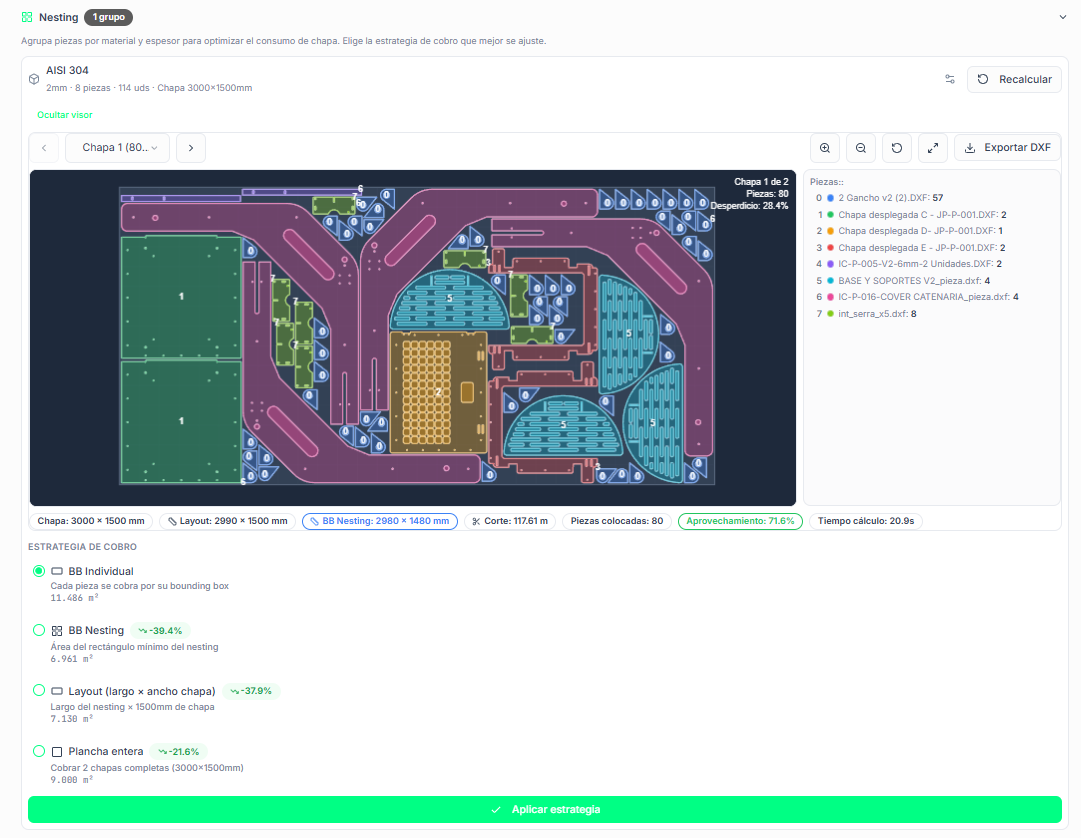
04 · Material utilisation
Choose the sheet format that best fits the order, reduce waste and use actual material consumption when preparing the quote.
Automatic nestingAutomatically arranges parts on sheets to maximise material utilisation.
Accurate pricingCalculates cost from the material used, not just the size of each part.
Multiple sheetsHandles nesting across several sheets when the quantity or order requires it.
Results in secondsUses the optimised nesting result as the basis of the quote without recalculating it.
Configurable strategyChoose bounding box, layout or full-sheet pricing to match how your shop calculates costs.
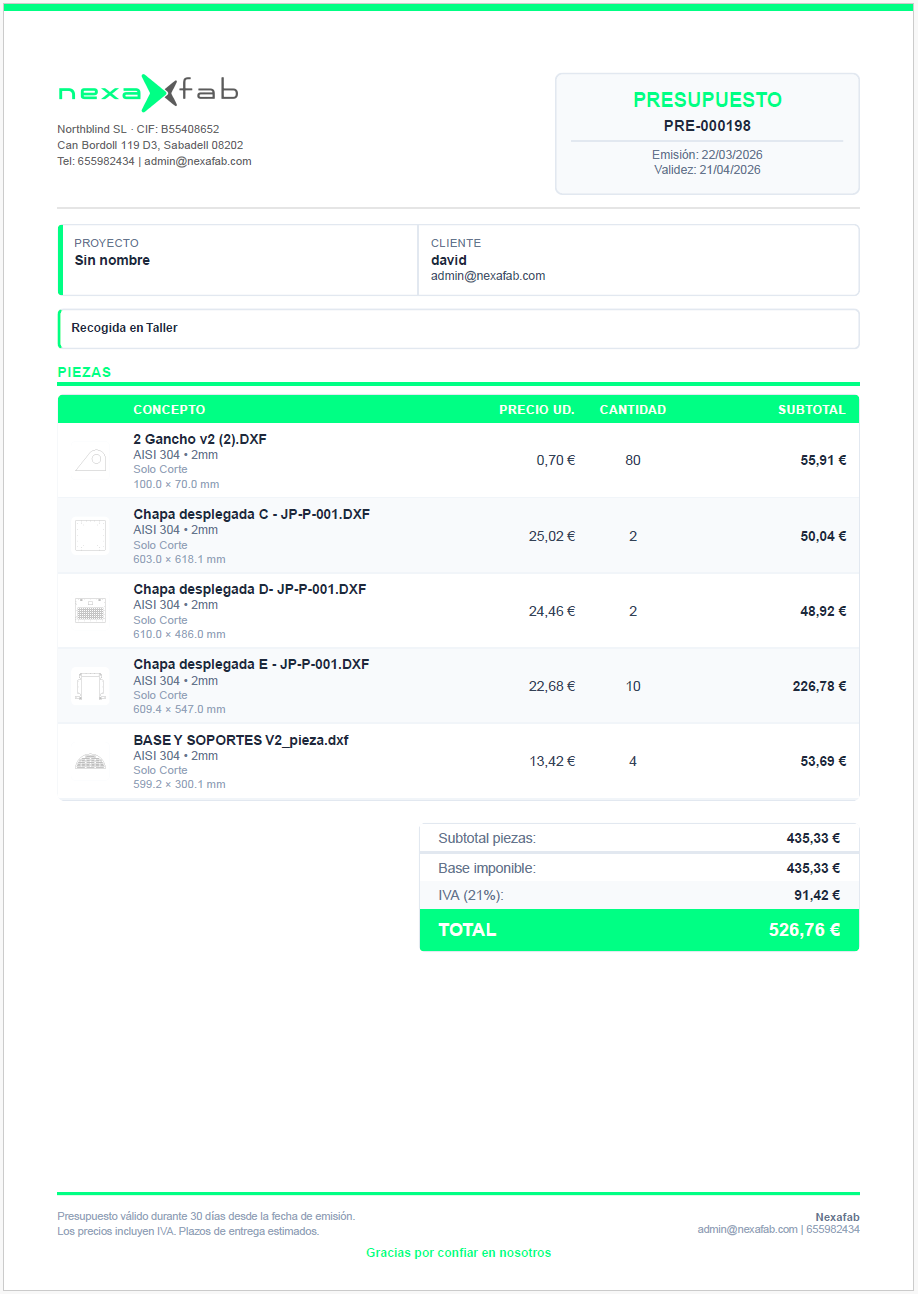
05 · An offer ready to send
Turn the reviewed calculation into a professional, branded document. The information remains in the same workflow until it reaches the customer.
PDF with your brandingIncludes the shop's logo, colours and details in a customer-ready document.
Payment linkAdds a unique link when you want to make acceptance and payment easier.
Send from the workflowEmails the quote without rebuilding the information in another tool.
Part imageHelps the customer clearly identify the part and quantities they are purchasing.
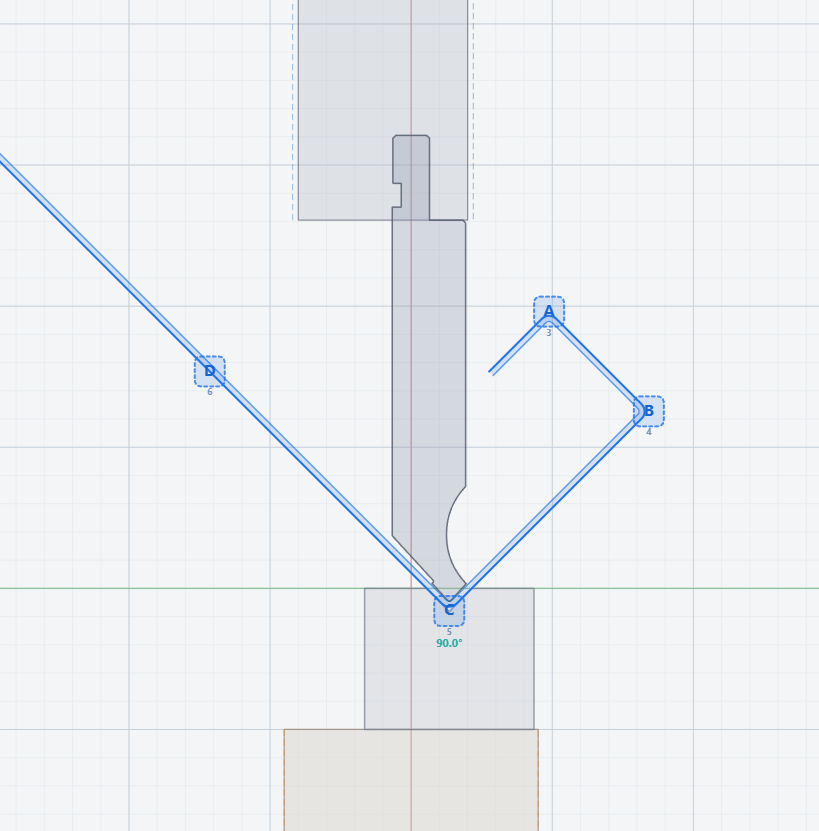
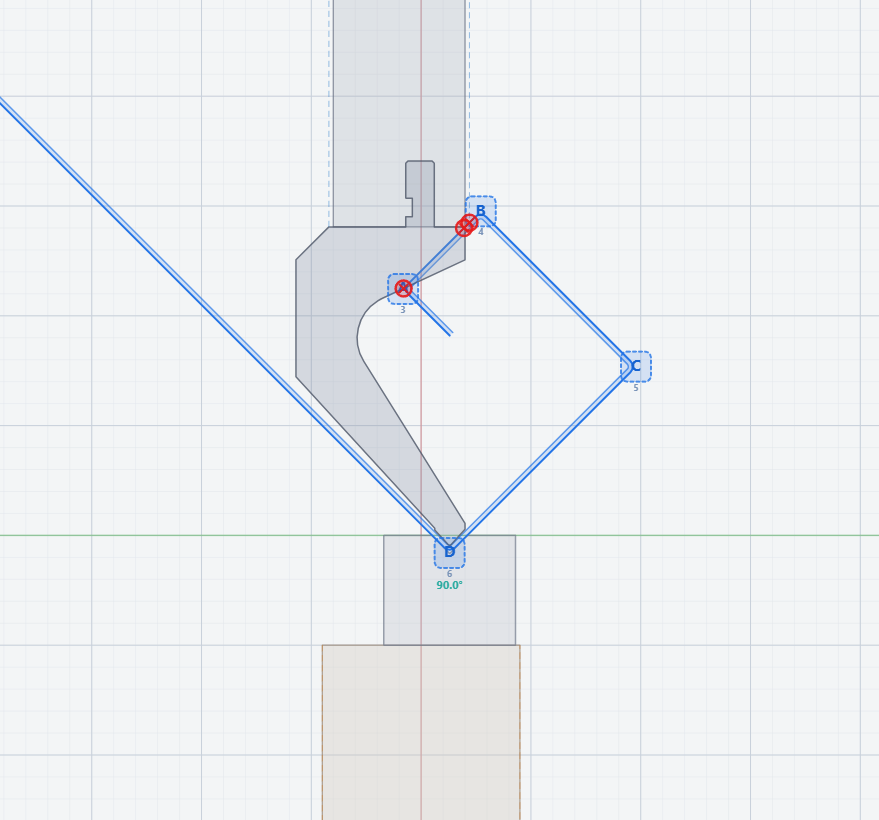
Bending in the same workflow
For bent parts, Nexafab helps verify feasibility without taking the part out of the quoting workflow.
Automate without losing judgement
Nexafab automates repetitive measurements, calculations and documentation.
Your team reviews exceptions, feasibility and the commercial result.
The shop decides the price and terms the customer receives.
A realistic adoption path
Start with the files and calculations that consume the most time, validate the result with your team and expand the workflow once your pricing logic is tuned. The customer portal is optional and can come later.
Why we built Nexafab
We are industrial engineers and have spent our careers designing, developing and manufacturing products. When we began selling parts to third parties, we encountered the reality of custom quoting.
We started by organising calculations in a spreadsheet and gradually built tools to clean files, measure parts, calculate material and prepare offers with less manual work.
A non-standard part requires judgement. Our goal is to stop your team repeating the same work for every request without taking away the final decision.
Frequently asked questions
These answers focus on the internal tool. You do not need the ordering portal to start using the quoting software.
The workflow is designed primarily for DXF, DWG and STEP. This covers 2D parts and 3D geometry used in laser cutting and bending work.
Files do not all have to arrive perfectly prepared. Within Nexafab you can remove information that is not part of the component, separate geometry and isolate the elements you want to quote.
Yes. Nexafab provides visualisation and analysis for 2D and 3D files. The available tools depend on the format and manufacturing process being quoted.
The part can be reviewed and adjusted to its correct dimensions within the preparation workflow. Calculations use the geometry and dimensions validated by the shop.
Yes. The configuration adapts to each shop's materials, thicknesses, times, minimums, discounts and margins. The aim is to transfer your logic into the system, not impose a generic rate.
Always. Nexafab automates repetitive tasks and prepares the calculation, while your team retains control over exceptions and the final price the customer receives.
It is not intended to replace all the software in your shop. It reduces switching between CAD, spreadsheets and documents while quoting. Special jobs may still require technical review.
Yes. The software works as an internal tool without activating a customer portal. The ordering portal is an independent option that can be added later.
Yes. The document can include your shop's logo and details, quoted parts, quantities, line items and images, producing a clear offer ready to send.
We start by reviewing real files and quotes from your shop. From there, calculation rules are configured and you decide which parts should be automated first.
A demo using real files
With one of your files and a typical quote, we can identify which steps make sense to automate first.